

Most business owners view technology as just another utility bill to keep as low as possible. However, when sluggish hardware and broken software cost your team twenty minutes every day, you quietly lose billable hours. Neglecting your technology stack does not save money; it puts a continuous, unrecorded tax on your payroll.

We’ve all been there. You are staring at your screen, something isn’t working right, and you hesitate to ask for help because you think your question sounds silly. Today is Ask a Stupid Question Day, and I am here to tell you that in the world of business technology, keeping quiet is the only actual mistake you can make.

Running a business keeps you busy, making it easy for tech blind spots to quietly sneak up on your operations. The good news? Fixing the most common technology mistakes doesn’t require a massive budget—just a few simple adjustments.

Investing in business technology support does not render a network completely immune to disruptions. Software updates alter configurations overnight, cloud vendors experience outages, and minor operational mistakes happen. Unfortunately, complete immunity from technical issues is impossible. The good news is that proactive IT management drastically changes how and how often those disruptions affect your daily workflow.

When a central server fails, daily business operations grind to an immediate halt. Most business owners take comfort in knowing a nightly backup runs in the background. However, having raw files saved on an offsite drive is only half of the equation when unexpected downtime strikes your network.

Running a business at maximum output sounds great on paper. You look at activity dashboards, measure response times, and try to extract every single percentage point of efficiency out of your daily operations. Setting expectations to maximum capacity indefinitely creates a fragile organization. High productivity targets sound like good management, but squeezing every ounce of energy from your staff actively damages worker retention, creates artificial output, and weakens your company culture.

Many organizations continue running legacy software versions long past their official manufacturer support dates because the applications still execute basic daily tasks. That said, operating unpatched systems introduces severe security vulnerabilities that automated malware scans actively target. Failing to modernize your business’ software leaves your corporate data exposed to unauthorized access and system-wide failure. Let’s talk about how to shore up these vulnerabilities.
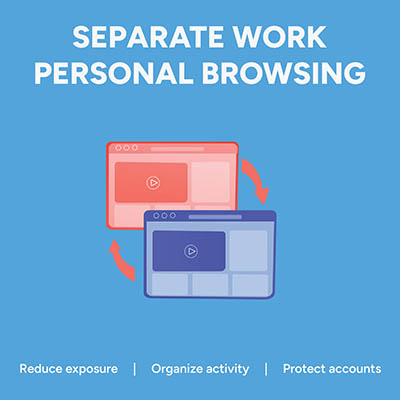
Picture this: an employee is logged into their personal Google or Microsoft account to check a personal email. In the very next tab, they open your company’s cloud dashboard to edit a sensitive spreadsheet. It feels completely harmless, but in reality, that single overlapping browser session is a quiet source of data leaks, compliance headaches, and constant calls to your IT help desk. That’s because if personal identities and corporate cloud accounts mingle in the same browser instance, the browser gets confused. It attempts to sync saved passwords, autofill data, browsing history, and extension permissions across both environments. The fix is simple… enforce dedicated browser profiles for your entire team.

Navigating a cyber insurance policy renewal used to involve answering a few straightforward questions about your basic antivirus software. Today, insurance underwriters require detailed evidence of comprehensive security controls before they will even consider approving your coverage.

Managing hundreds of business accounts with complex, frequently changed passwords no longer protects your organization. In fact, forcing arbitrary symbol substitutions and constant resets creates predictable patterns that hackers easily exploit. Modern security relies on practical, long-term rules that safeguard data without slowing down daily work.
- 1
- 2