

What do you focus on when one of your team members leaves? When employees leave a company, business owners often focus on transitioning the daily workload. Unfortunately, this often overlooks an important fact: departed team members will frequently leave active digital credentials behind that quietly create massive security risks. Let’s talk about it.

Even well-managed organizations run into operational blind spots created by modern technology. Falling into simple IT traps puts your data, your employees, and your business continuity at risk. Fortunately, recognizing these subtle errors allows you to resolve them immediately without spending a fortune on new gadgets.

An email arrives from your CEO requesting an urgent, off-schedule wire transfer to secure a vendor deal. Standard operational caution gives way to speed, and cash is redirected to an unauthorized account. This is the result of a form of cyberattack known as business email compromise. Let’s discuss how to stop it.

Cybersecurity Awareness Month serves as a vital reminder that technical infrastructure relies heavily on human habits. A single compromised credential can expose your entire network to unauthorized access and operational downtime. Protecting company data is a shared organizational responsibility.

Running a business keeps you busy, making it easy for tech blind spots to quietly sneak up on your operations. The good news? Fixing the most common technology mistakes doesn’t require a massive budget—just a few simple adjustments.

Investing in business technology support does not render a network completely immune to disruptions. Software updates alter configurations overnight, cloud vendors experience outages, and minor operational mistakes happen. Unfortunately, complete immunity from technical issues is impossible. The good news is that proactive IT management drastically changes how and how often those disruptions affect your daily workflow.
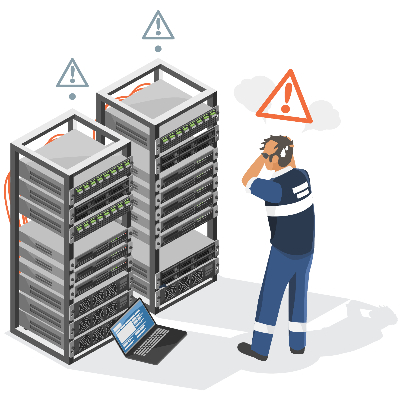
When a central server fails, daily business operations grind to an immediate halt. Most business owners take comfort in knowing a nightly backup runs in the background. However, having raw files saved on an offsite drive is only half of the equation when unexpected downtime strikes your network.
Many organizations continue running legacy software versions long past their official manufacturer support dates because the applications still execute basic daily tasks. That said, operating unpatched systems introduces severe security vulnerabilities that automated malware scans actively target. Failing to modernize your business’ software leaves your corporate data exposed to unauthorized access and system-wide failure. Let’s talk about how to shore up these vulnerabilities.
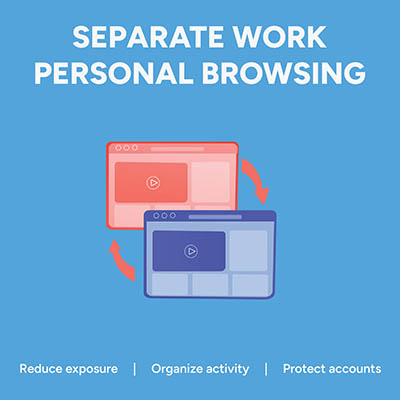
Picture this: an employee is logged into their personal Google or Microsoft account to check a personal email. In the very next tab, they open your company’s cloud dashboard to edit a sensitive spreadsheet. It feels completely harmless, but in reality, that single overlapping browser session is a quiet source of data leaks, compliance headaches, and constant calls to your IT help desk. That’s because if personal identities and corporate cloud accounts mingle in the same browser instance, the browser gets confused. It attempts to sync saved passwords, autofill data, browsing history, and extension permissions across both environments. The fix is simple… enforce dedicated browser profiles for your entire team.

Managing hundreds of business accounts with complex, frequently changed passwords no longer protects your organization. In fact, forcing arbitrary symbol substitutions and constant resets creates predictable patterns that hackers easily exploit. Modern security relies on practical, long-term rules that safeguard data without slowing down daily work.