

When a central server fails, daily business operations grind to an immediate halt. Most business owners take comfort in knowing a nightly backup runs in the background. However, having raw files saved on an offsite drive is only half of the equation when unexpected downtime strikes your network.

For most professionals, the workday feels like a relentless cycle: clear three emails, get five more. The true productivity killer isn’t just the sheer volume of mail; it’s the friction of how we handle it. Every time you reach for your mouse to hunt for a reply button, click through folder hierarchies, or switch back and forth to check your calendar, you introduce friction. Those small micro-actions compound into massive time-sinks across your workday.
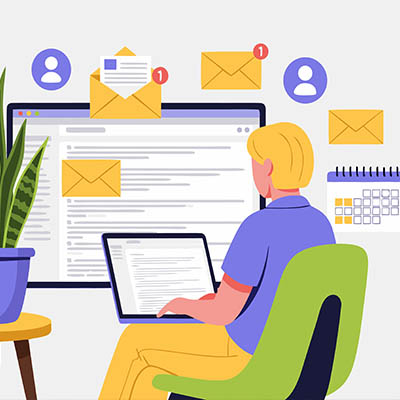
Let’s face it—most of us spend a massive chunk of our workday just swimming through an endless sea of emails. It feels like every time you clear three messages out of your inbox, five more pop up to take their place. The real killer isn’t just the sheer volume of mail, though. It’s the constant, repetitive mechanical drag of using your mouse to click around the screen. Clicking folders, hunting for the reply button, navigating back and forth between your inbox and your calendar—it all adds up.

Many business owners try to use AI image generators to create header graphics for newsletters or images for their websites, only to end up with blurry, unnatural results. The issue usually is not the software. The issue is that generic prompts yield generic outputs because these systems require explicit, granular instructions to produce high-quality results. If you want to stop generating generic graphics and start producing clean, professional visuals, you need to provide the system with specific parameters. Here are 5 practical tips to get these tools to output exactly what you need.

The majority of modern cyberattacks begin with some form of user manipulation, usually through phishing messages that trick recipients into acting against their own security. While these can be shared in any form, the most well-known is certainly email. Let’s review a few warning signs that can help indicate that an email message is, in fact, a phishing scheme.
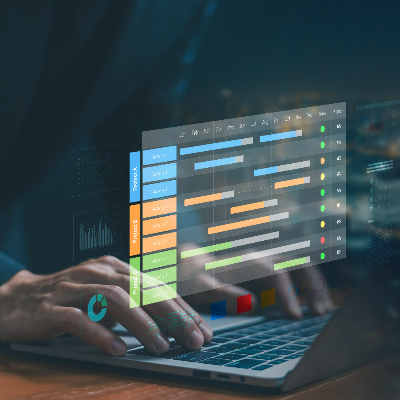
For most small and medium-sized businesses, scheduling is a constant frustration. Balancing business needs with your employees’ lives—like Jack’s daughter’s recital or Stef’s morning errands—feels like a losing game. The good news? With the right strategy and a few modern tools, you can make scheduling easier for everyone.

Every day, countless chats are sent between colleagues as they go about their duties. If your business uses Google Chat to send these messages, then you have the capability of scheduling chats for a later date. This neat little feature is hidden right in plain sight, too, so don’t feel bad about not seeing it. The question now is what are you going to use it for, and how do you schedule chats in the first place?

Word processors are a part of office life, so it helps to know as much as you can about them. Today, we want to think about ways you can adjust text size, especially after you copy and paste content into a document. Not only will we cover how to do so as plain text, but also how to use keyboard shortcuts to increase or decrease text size and add special formatting without navigating clunky menus.

It’s the holiday season, so many people will be spending a lot of time online, likely seeking out the perfect gift for everyone on their list. Considering you’re reading this blog, you could be one of them. Do you have the perfect gifts in mind for everyone in your circle, but just can’t seem to find what you’re looking for? Let’s go over some tricks that Google has baked into its search functionality, and how they could prove handy during your holiday shopping… and your workday, too!
You likely use basic shortcuts like cut, copy, and paste every day. While essential, these are just the foundation. To truly maximize your productivity and demonstrate peak efficiency, mastering a few advanced keyboard shortcuts is key. Each shortcut may only save a few seconds, but over time, these moments accumulate into significant time savings. Ready to move beyond the basics?