
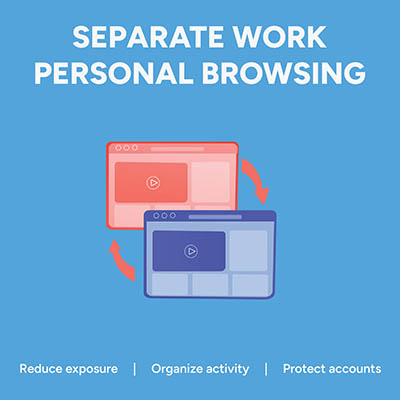
Picture this: an employee is logged into their personal Google or Microsoft account to check a personal email. In the very next tab, they open your company’s cloud dashboard to edit a sensitive spreadsheet. It feels completely harmless, but in reality, that single overlapping browser session is a quiet source of data leaks, compliance headaches, and constant calls to your IT help desk. That’s because if personal identities and corporate cloud accounts mingle in the same browser instance, the browser gets confused. It attempts to sync saved passwords, autofill data, browsing history, and extension permissions across both environments. The fix is simple… enforce dedicated browser profiles for your entire team.

Chances are you use your Internet browser more than any other tool on your computer, so why not make the most of it? Today, we’re focusing on how you can stay organized and productive with your web browser. We’ll cover all you need to know about tabs, including best practices and shortcuts that are sure to see a lot of use.

While most browsers offer a bookmark feature, allowing a user to save certain web pages for repeated viewing, Google Chrome adds to this with an added functionality: Google Saved. Previously known as Google Collections, Google Saved gives users a convenient place to keep track of things they want to return to later… similar to a bookmark, but more so.

If you’ve spent any time online, you’ve likely encountered ads popping up while you’re trying to read articles, watch videos, or scroll through social media. While some ads can be helpful, many people find them disruptive or invasive, which is why ad blockers have become popular. Have you ever wondered how exactly ad blockers work? Let’s break it down.
When someone mentions cookies, people usually think of delicious treats like gingersnaps, snowballs, or the world famous chocolate chip. But what about browser cookies? While they may not be tasty, they certainly deserve your attention. You’ve likely encountered website popups asking for cookie permissions, and understanding what you’re agreeing to is crucial. In today’s blog, we’ll explain what browser cookies are, how they work, and why they are sometimes more beneficial than the sweet kind..

Since its domain was first registered on September 15, 1997, Google has exploded from a relatively simple search engine to the massive assortment of platforms and services that fall under the Alphabet umbrella. That being said, most people tend to think of very specific aspects of Google’s Search function… like the amusing Easter Eggs that the platform has become somewhat famous for. Let’s explore some of the many, many jokes and entertaining features that Google has added to Search over the years. Who knows, you might find out about a new favorite. Full Disclaimer: Google Has WAY Too Many Easter Eggs to Cover Here Comprehensively Honestly, this shouldn’t come as much of a surprise. With these Easter eggs first being secreted into Google’s assorted offerings back in 2000, the sheer volume of these hidden features has grown to be truly significant. Plus, some of them are no longer active, being tied to a specific day or event—for example, the search for “2/22/22” made the phrase “Happy Twosday 2You!” appear on that day, but no longer. Others have been rendered inoperable with Google’s shift to an infinite scroll format, rather than pages, as the “Goooo…gle” indicator housed many of these Easter eggs as well. Many, many of them, however, are still active, with more being added all the time… just do a quick search for “Barbie” for a practical example of how up-to-date these Easter eggs are kept. So, let’s explore some that are (as of this writing) still active. A Tiny Sample of Google’s Easter Eggs Searching for “dvd screensaver” will cause the Google logo in the top left corner to begin bouncing around the screen, changing colors as it goes, similarly to—you guessed it—the screensaver that DVD players would display after remaining idle for too long. Searching for “text adventure” and then using the Ctrl+Shift+J shortcut to open the developers console will give you access to a Google-themed text-based adventure game, where you set out in search of the letters in the word “Google.” As a bonus Easter egg within an Easter egg, responding “no” to the introductory prompt “would you like to play a game” produces a reference to the 1983 movie WarGames. Searching for “puppy/puppies/dog/canine” or “kitten/cat” will produce a button that, when clicked, will cause a paw belonging to the corresponding animal to swipe up and leave a paw print behind. Searching for “define anagram” asks you if you meant to search for “nerd fame again,” which itself is an anagram of “define anagram.” Searching for “pi” will produce the Google calculator with the pi symbol prominent. Clicking it will start a memory game that takes the player through the digits of pi. Searching for “meteor shower” will darken the screen momentarily as three meteors pass by, shifting back to the way it was once they have passed. Searching for “netwon/Isaac Newton” will produce a button with an apple tree on it, which causes an apple to fall down the screen when clicked, just as the legend goes about how the physicist conceptualized the theory of gravity. Searching for “han/greedo shot first” will show the alternate result, posed as a “Did you mean” at the top of the screen. Searching for “the one ring” will ask if you meant “my precioussss,” in a nod to Gollum […]

Many web browsers, like Google Chrome, have features that allow for convenient password-keeping, but at the cost of considerable cybersecurity risks. We recommend that all businesses utilize a password management tool, but preferably not one that is built into a web browser. Why? We’re glad you asked!
What do a bakery and a web browser have in common? Both have cookies—but, what are browser cookies, and what do they do? Let’s take a few moments to explore the concept of the browser cookie and what their function is.

You’d be hard-pressed to find a business that doesn’t rely on the Internet in some way, and everyone uses web browsers as a method of interfacing with the Internet. These browsers, however, are not necessarily the most secure applications by default. With some adjustments to the features, you too can optimize security and privacy when using your preferred web browser.

Passwords are quite literally everywhere nowadays. With so much of modern life now controlled or held within user accounts, keeping your passwords both secure and straight in your head is crucial. Many web browsers now offer some built-in password management utility to help make this process more convenient for the user, but is this option available at the cost of security?
- 1
- 2